Levirge Search · install
Install in Gemini CLI
Add Levirge Search to Gemini CLI with one command — OAuth sign-in or a token header.
gemini mcp add --transport http search https://search.levirge.com/mcpThen start gemini, run /mcp auth search, and sign in when the browser
opens. To use a token instead:
gemini mcp add --transport http search https://search.levirge.com/mcp \
  --header "Authorization: Bearer <your-token>"
Both write to ~/.gemini/settings.json under mcpServers.search.httpUrl.
Then ask it a research question, or verify with a read-only call —
stealth_list returns the stealth-domain registry.
Need a token instead?
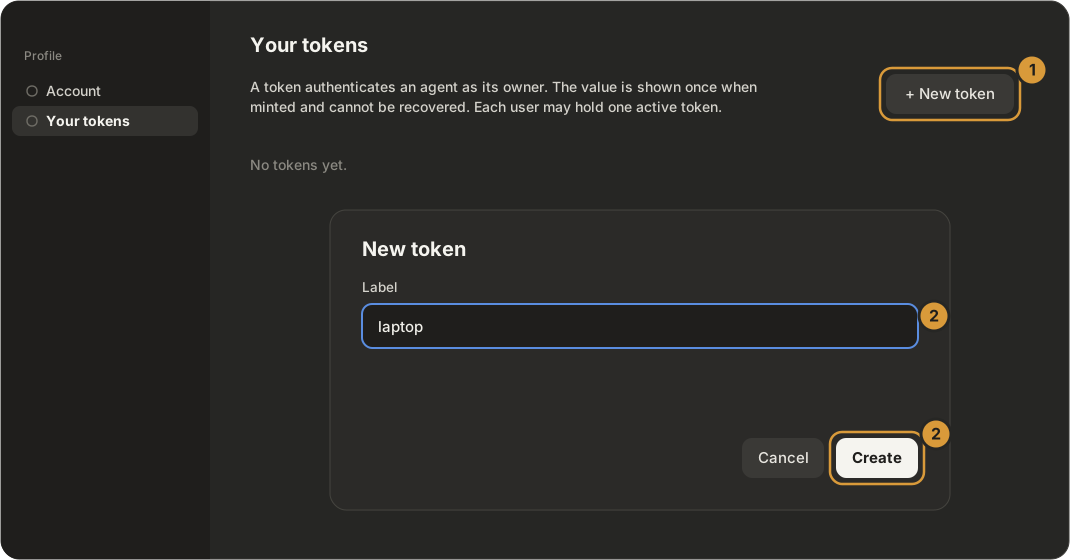
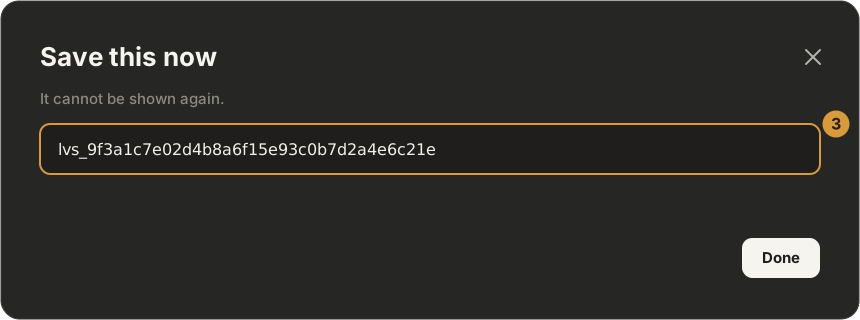
Sign-in is the default. If your client cannot open a browser, mint a token on Profile → Your tokens — click + New token, label it, Create, and copy the value straight away (it is shown once).