
Install in Cursor
Install Levirge Search in Cursor as a plugin from the levirge/search marketplace — no file editing, sign in with OAuth.
Cursor installs Search as a plugin from the levirge/search marketplace.
Seven clicks, all in the app, then sign in.
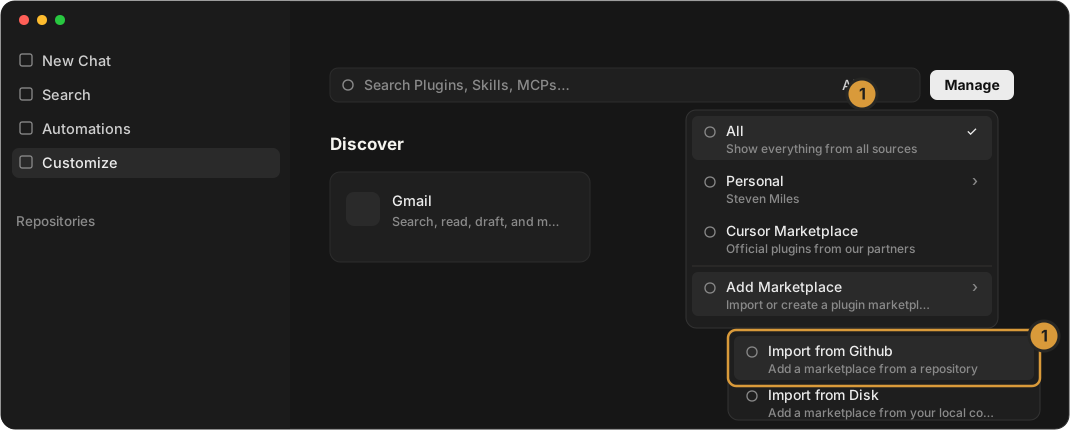
1 · Add the marketplace
Open Customize in the left sidebar, click the source dropdown at the right of the search box (it says All), and choose Add Marketplace → Import from Github.
2 · Import the repository
Type the repository, leave scope as User, and click Import:
levirge/search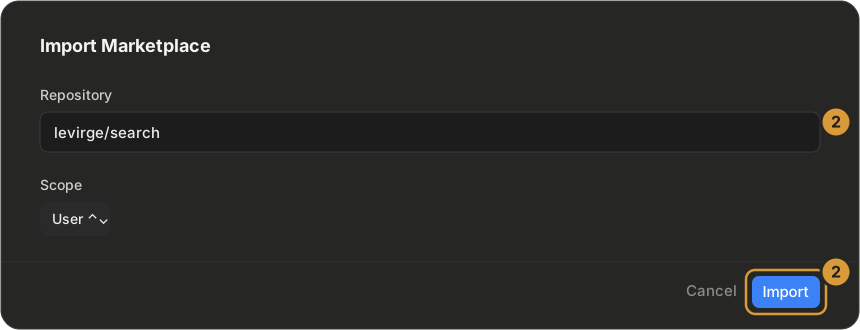
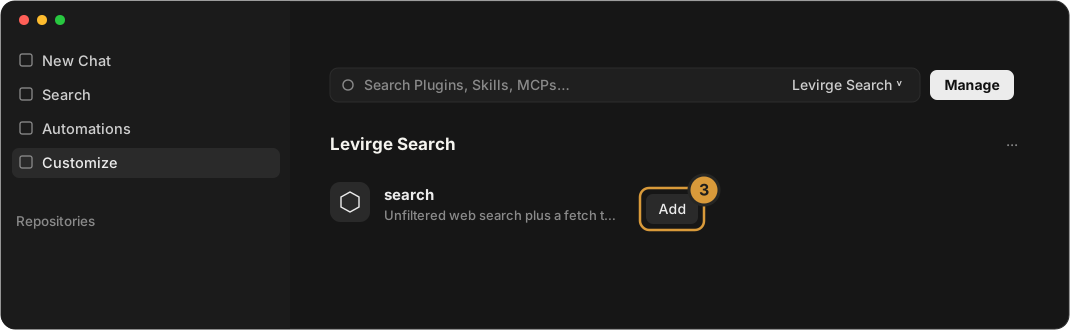
3 · Add the plugin
The dropdown now shows Levirge Search. Click Add next to the search plugin — it changes to ✓ Added.
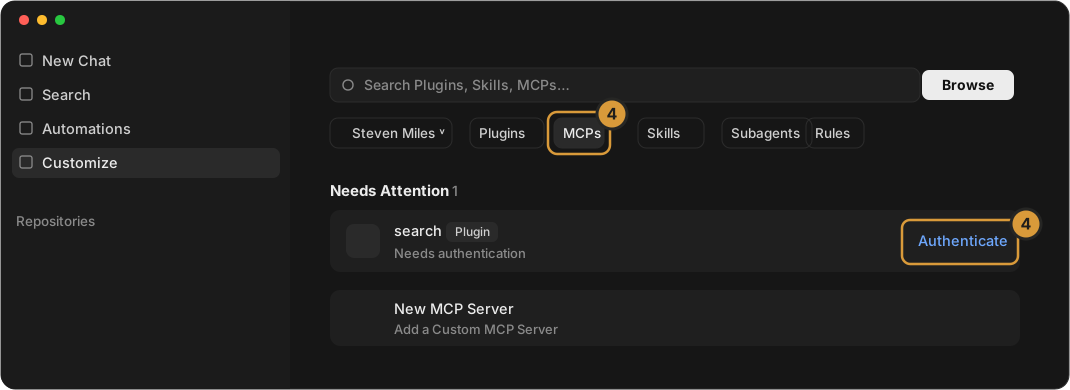
4 · Sign in
Open the MCPs tab. Under Needs Attention, click Authenticate next to search and sign in when the browser opens.
Then ask it a research question, or verify with a read-only call —
stealth_list returns the stealth-domain registry.
Without the plugin
Add the server to ~/.cursor/mcp.json and Authenticate from the MCPs tab
the same way:
{
  "mcpServers": {
    "search": { "url": "https://search.levirge.com/mcp" }
  }
}