
Levirge DevOps · plugin
SQLite
Query SQLite database files behind a firewall through the outbound devops-client, with saved queries, query history and an audit log.
Levirge DevOps is in private testing, with no public devops-client download yet.
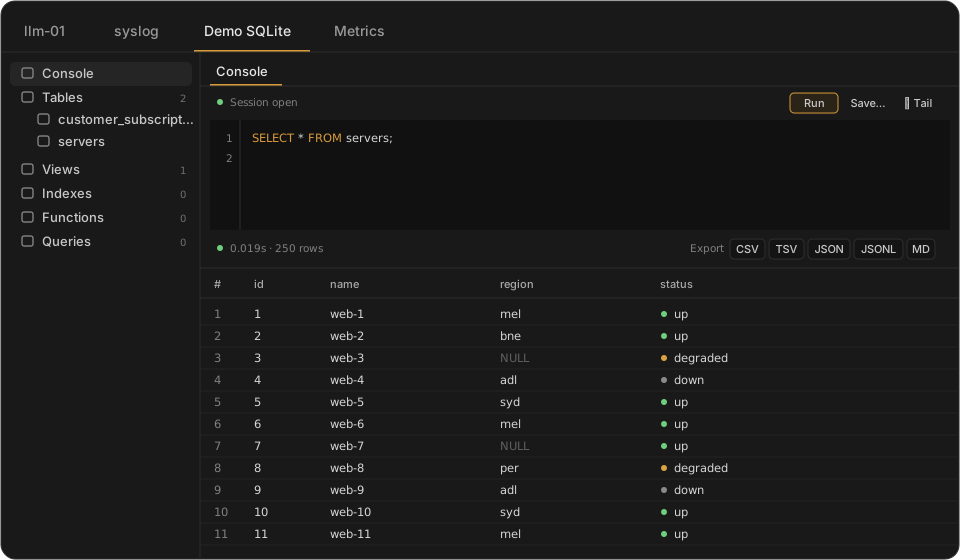
Illustrative mock-up with made-up data, not a screenshot.
Features
- Connect to a database file on a remote machine
- Run SQL queries
- Save and recall queries
- Query history, per connection
- Audit log of queries
- Browse tables and columns
- View a table's DDL
- Export results as CSV, TSV, JSON, JSONL or Markdown
Capabilities
- Connects to SQLite files on the machine where devops-client runs.
- WAL-mode databases are supported.
- Each database file is its own connection in the sidebar.
- Blob values are shown as
0x…hex strings.
Limits
- The user devops-client runs as must be able to read the database file.
- One statement per query: multi-statement SQL returns an error.
- Exports cover the rows already fetched, so add a
LIMITfor large tables. - Files over 2 GB can be slow on unindexed full-table scans.
- Databases held under an exclusive lock may show stale reads during concurrent writes.