
One pane for everything behind your firewalls.
Manage and monitor applications and systems behind firewalls. A small agent runs next to each system and connects outward through a message bus, so the system needs no inbound port or VPN. People use it through a web UI, machines through an API, and AI agents through MCP.
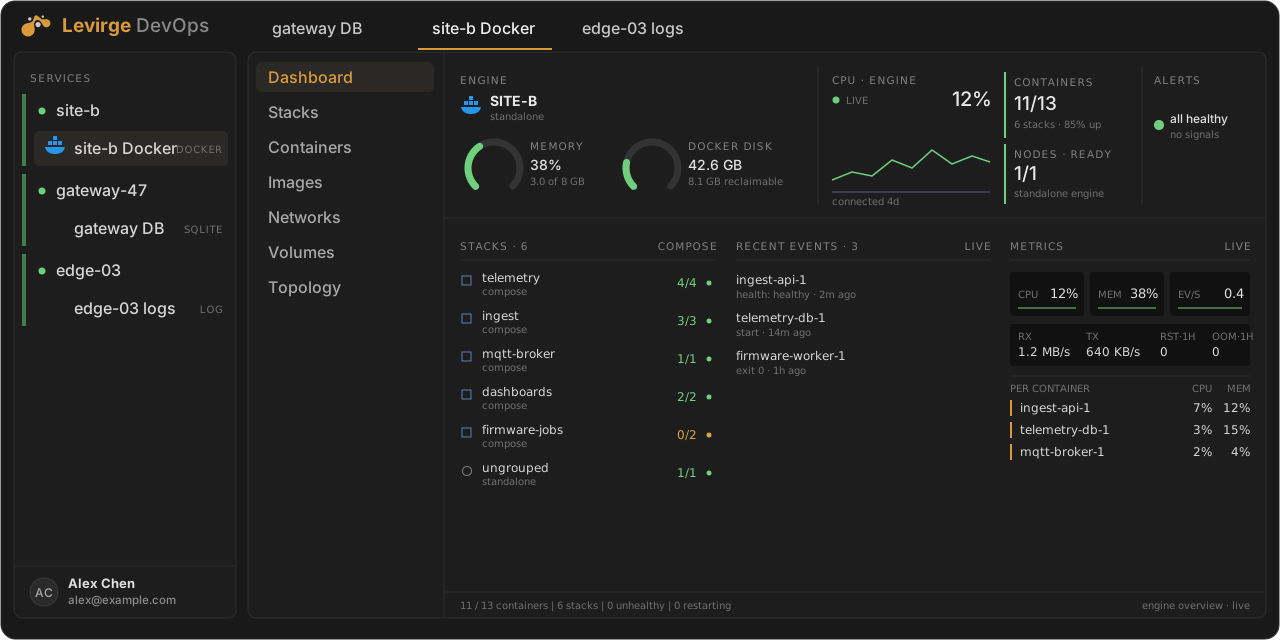
Illustrative mock-up of the Docker dashboard with made-up data, not a screenshot.
Databases, logs, Docker and message buses
Each label says what has been run. Verified means run through the app against a real system. In testing means the UI and agent support exist, but it has not been checked against real systems yet.
SQLite
DatabaseConnection, queries, saved queries, query history and audit log.
VerifiedPostgreSQL
DatabaseQueries and schema browsing.
In testingMySQL
DatabaseQueries and schema browsing.
In testingMariaDB
DatabaseQueries and schema browsing.
In testingRedis / Valkey
DatabaseKey scans and server info.
In testingMongoDB
DatabaseFind, aggregate and schema browsing.
In testingInfluxDB 2.x
DatabaseFlux queries and schema.
In testingLog files
LogsLive tail, search and read log files and whole log directories.
In testingDocker
ContainersDashboard, gauges and containers view, with host CPU and memory.
Read-only, in testingMQTT
Message busBrowse and subscribe to topics, and see broker stats.
In testingMessage bus servers
Message busServer, stream and consumer monitoring, with message rates.
In testingReach the system without opening it up
No inbound port or VPN
The agent connects outward through a message bus, so the system behind the firewall needs no inbound port or VPN.
Credentials stay on the host
Passwords, connection strings, hosts and file paths aren't sent over the message bus.
Writes need a role
At the agent, a caller with no role is read-only, and a connection can also be set read-only. These are two separate checks.
Actions are audited
Each request is recorded in an audit log.
For people and machines
People use the web UI, scripts use the API, and AI agents use MCP.
One small binary
A single binary of about 42 MB, statically linked for Linux. Windows isn't a target. There is no public download yet.
One place to reach every environment
A small agent runs next to the systems in each environment and connects outward, so nothing behind the firewall needs an inbound port or VPN. People, scripts and AI agents all come through Levirge DevOps.
Example layout with made-up environments. Each connector's status is in the panels above.
One pane, or a tool and a way in for each system
A tool per system
- An inbound port or VPN to reach each network
- A separate login and tool for databases, logs and containers
Levirge DevOps
- No inbound port or VPN: the agent connects out
- Databases, logs, Docker and message buses in one place
Be first to put an agent behind your firewall
The agent has no public download yet. Join the waitlist and we'll email you when it does.
Check your inbox
Confirm the subscription from the email we just sent and you're on the list.