
Levirge DevOps · plugin
Log files
Tail and search log files on a remote machine through the outbound devops-client, without SSH or a separate log shipper.
Levirge DevOps is in private testing, with no public devops-client download yet.
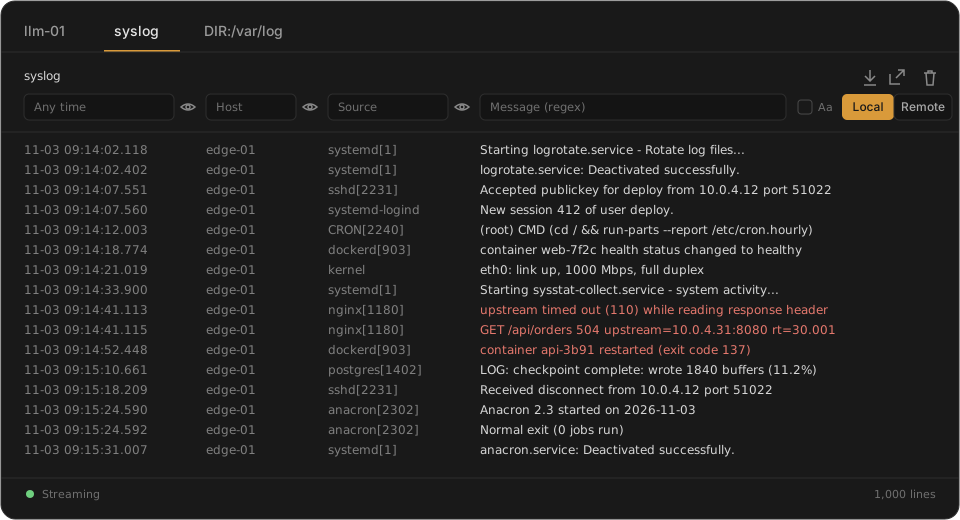
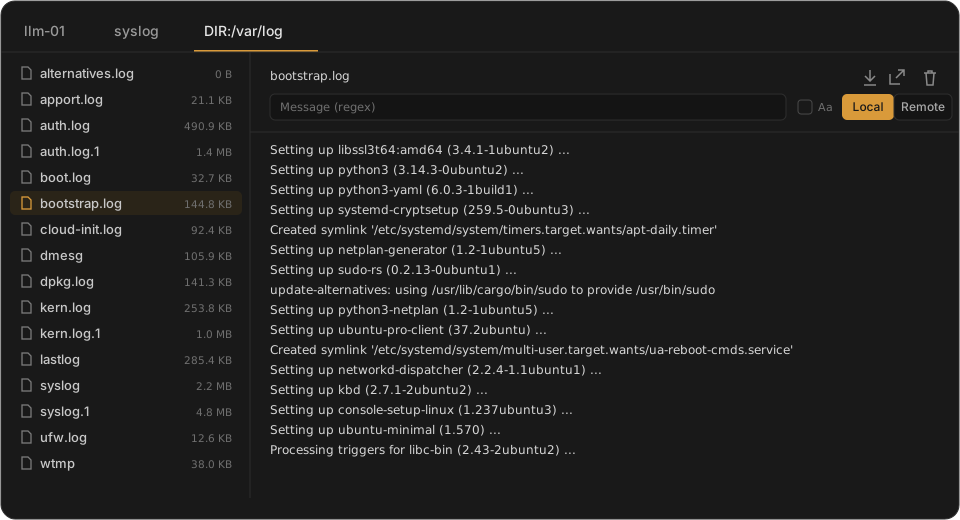
Illustrative mock-ups with made-up data, not screenshots.
Features
- Live tail of new lines
- Pause, resume and clear the view
- Filter by text or regular expression
- Filter by field on JSON and logfmt logs
- Highlight matching lines
- Search log history by time range
- Export search results
- Read single files or a whole log directory
- Syslog lines as aligned columns: time, host, source and message
- Filter by time range, host, source and message
- Filter the loaded lines, or search the whole file on the server
- Hide any column
- Open a log in its own browser tab or window
- Download the whole file
Capabilities
- Formats: JSON, logfmt, combined access logs, syslog and plain text.
- Log rotation is detected, and the tail reopens the new file.
- Exports come as plain text, or as JSON or CSV for structured logs.
- Files devops-client can't read are marked "no access" instead of failing when opened.
Limits
- Files must be on the machine running devops-client, and the user devops-client runs as must be able to read them.
- Only the active file is read, not rotated or compressed files.
- The tail buffer holds 10,000 lines, and exports stop at 10,000 matches.
- Regular expressions don't support lookaround or backreferences.
- Binary log formats aren't supported.